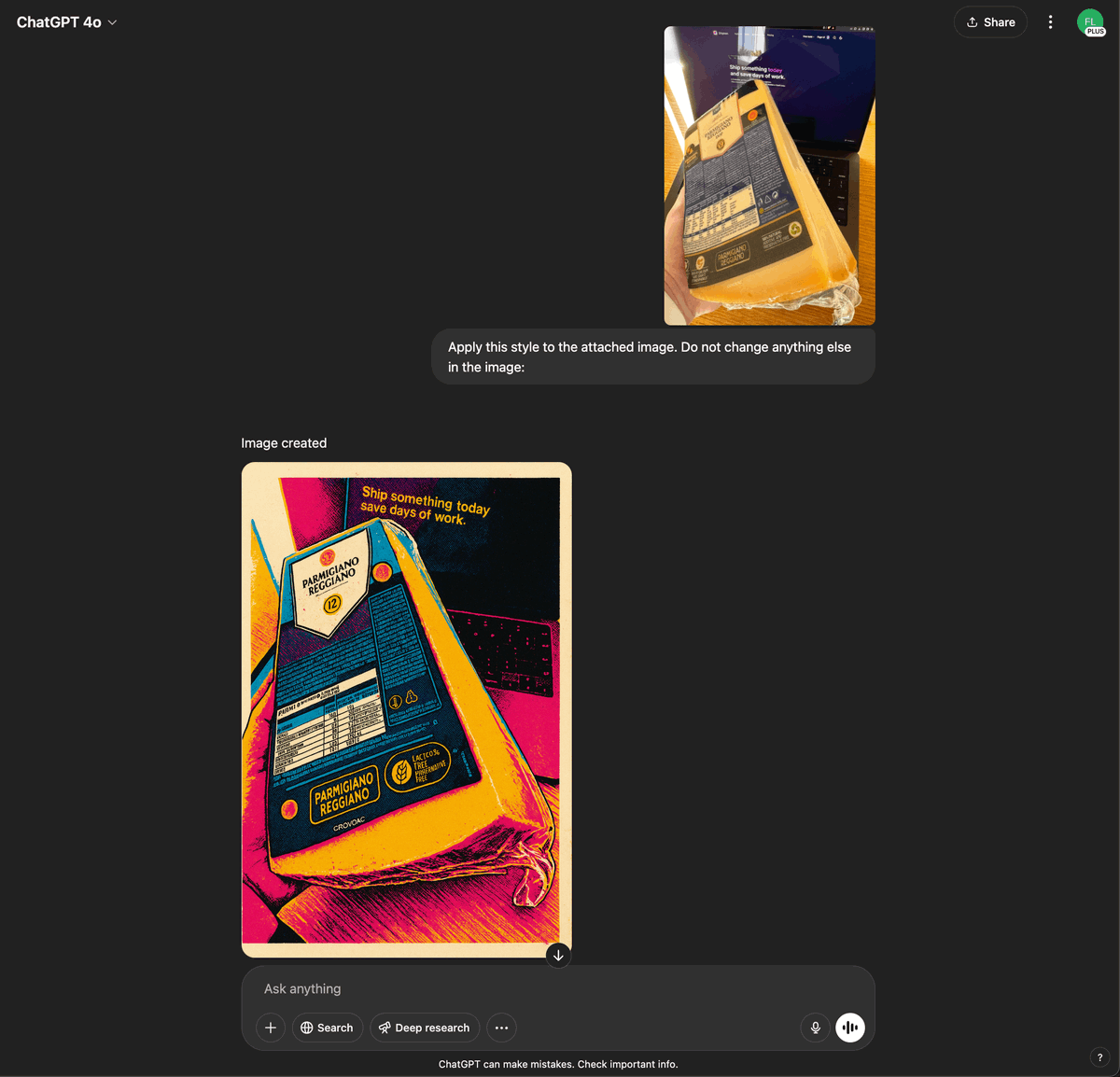
🥇 Applying consistent styles to existing images
1️⃣ The first step is to write a concise design requirement. For example:
"A pop‑art silkscreen look featuring tight, photo‑derived compositions—rendered in flat, high‑contrast blocks of vivid CMYK spot color (hot magenta, process cyan, canary yellow, acid green) overlaid with a bold black contour; the screen‑printing technique introduces visible halftone dots, slight color‑layer mis‑registration that lets outlines peek through, and occasional ink smudges, while the finished surface resembles glossy offset print."
👉 if you are not sure how to create these, I'll explain how you can also extract these from existing images further in the thread.
2️⃣ Then, use this prompt to generate a JSON style guide.
(I used Claude 3.7 for it, but lesser models should also work)
```
You are tasked with generating a JSON object containing properties for image generation based on a simple design prompt. The JSON object should have the following top-level keys: style_name, inspiration, color_palette, rendering, background, subjects, themes, and usage_notes. Each of these keys should have properties that reflect the input design prompt.
Here is the design prompt:
<design_prompt>
{{DESIGN_PROMPT_FROM_ABOVE}}
</design_prompt>
Follow these steps to generate the JSON object:
1. Analyze the design prompt and extract key elements such as style, colors, and themes.
2. Generate a "style_name" that encapsulates the essence of the design prompt in a catchy, descriptive phrase.
3. Create an "inspiration" list with 2-4 artistic styles or concepts that align with the design prompt.
4. Develop a "color_palette" object with the following properties:
- primary: The main color (in hex code) derived from the design prompt
- secondary: A complementary color (in hex code)
- highlight: An accent color (in hex code)
- shadow: A darker shade (in hex code) for depth
- background_gradient: An array of two colors (in hex codes) for the background
5. Define a "rendering" object with properties that describe the technical aspects of the image:
- resolution: Specify the image quality (e.g., "high_res", "low_res")
- technique: Describe the main rendering technique (e.g., "vector", "pixel_art", "3D")
- special_effects: List any special rendering effects (e.g., "glow", "shadow", "texture")
6. Create a "background" object with properties that describe the image background:
- type: Specify the background style (e.g., "solid", "gradient", "pattern")
- details: Provide additional information about the background
7. Define a "subjects" object with properties that describe the main elements of the image:
- style: Describe the overall style of the subjects
- details: Provide specific details about how the subjects should be rendered
8. Generate a "themes" array with 3-5 thematic elements or concepts related to the design prompt.
9. Create a "usage_notes" string with brief guidelines on how to use the style effectively.
Ensure that all properties in the JSON object reflect the input design prompt. Be creative and consistent in your interpretations.
Output your final JSON object within <json_output> tags. Format the JSON with proper indentation for readability.
```
3️⃣ Now take that JSON output and go to ChatGPT and select GPT-4o.
Write the following prompt
```
Apply this style to the attached image. Do not change anything else in the image:
{{JSON_OUTPUT_FROM_2️⃣}}
```
🖼️ 参考图(最多 3 张,选填):