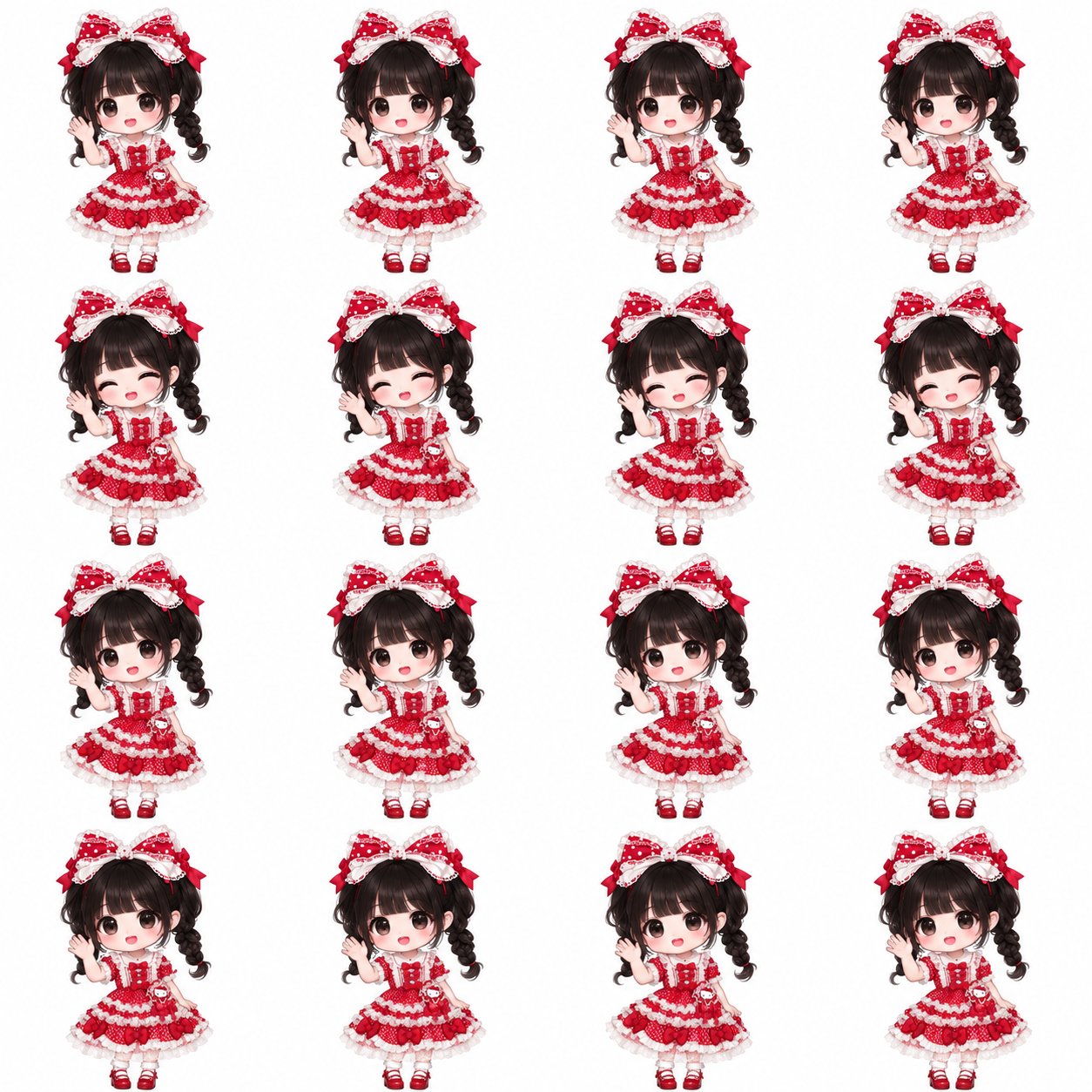
Turn the person in my uploaded photo into an adorable chibi anime character, then create a matching 4 × 4 animation sheet and an actual looping GIF.
REFERENCE AND IDENTITY
Use my uploaded photo as the identity and outfit reference.
Preserve recognizable facial features, hairstyle, hair color, skin tone, clothing colors, accessories, and distinctive outfit details.
Simplify the design thoughtfully while keeping the person recognizable.
Do not replace the outfit with a generic costume.
If the photo is cropped, infer a matching full-body outfit and shoes.
STYLE
Create a polished Japanese chibi anime illustration:
- Approximately 2 to 2.5 heads tall, with an oversized head and tiny body.
- Large expressive eyes, rounded cheeks, a small nose and mouth, and subtle blush.
- Clean, delicate outlines with smooth anti-aliased edges.
- Soft cel shading, gentle highlights, and clear clothing details.
- A cute, warm expression and a readable full-body silhouette.
This is smooth illustrated chibi art, not pixel art.
Avoid photorealism, 3D plastic rendering, blocky pixels, and heavy painterly textures.
CHARACTER CONSISTENCY
First establish one finished character design, then animate that same character.
Treat every frame as part of the same drawing and animation rig, not as a new illustration.
Keep facial structure, eye size, head shape, hairstyle, costume details, body proportions, and colors consistent.
Lock the camera, character scale, framing, and feet baseline.
Do not redraw or randomly change stationary parts between frames.
ANIMATION
Create 16 consecutive frames of ONE clear, gentle waving motion.
The character faces forward, smiles, and waves one raised hand beside the face.
Use a natural elbow and wrist pivot.
Make the hand motion clearly visible at the final GIF size, while keeping it relaxed and cute.
Keep the head, torso, other arm, and feet stable.
Keep the hand’s shape and finger count consistent.
Use a smooth progression:
neutral → wave outward → neutral → wave inward → return toward neutral.
Do not combine waving with head turns, body swaying, bouncing, or changing expressions.
Avoid rubbery stretching, warped faces, jitter, sudden jumps, and unrelated poses.
The last frame must transition naturally into the first.
SPRITE SHEET
Arrange the 16 frames in exactly 4 columns × 4 rows.
Order: left to right, then top to bottom.
Target canvas: 2048 × 2048 pixels.
Each cell: 512 × 512 pixels.
Use identical character alignment and a fixed baseline in every cell.
Keep the entire character and the full motion inside each cell.
Leave at least 40 pixels of white padding on every side.
No neighboring-cell fragments, clipping, grid lines, labels, text, or watermarks.
BACKGROUND
Use a solid pure white background:
No checkerboard, scenery, floor, gradient, or cast shadow.
Preserve white and pale details within the clothing.
DELIVERABLES
Create the actual downloadable files:
1. One high-resolution PNG of the finished chibi character.
2. One 4 × 4 PNG animation sheet.
3. One animated GIF of the SINGLE character, not the whole grid:
- 512 × 512 pixels.
- Solid white background.
- All 16 frames in the correct order.
- Approximately 2.4 seconds per cycle.
- Loop forever.
4. One ZIP containing the 16 individual PNG frames.
Use available image-generation tools for the artwork and file-processing tools to split and assemble the animation.
If exact sheet dimensions are unavailable, normalize the canvas and cell layout before extracting frames.
Use high-quality resampling for this smooth illustration style, not nearest-neighbor scaling.
QUALITY CHECK
Inspect both the individual frames and the assembled animation before delivery.
Verify that:
- The hand visibly changes position between the motion extremes.
- The motion is clearly noticeable at normal viewing size.
- Stationary parts remain stable.
- The character does not change size or drift within the canvas.
- Fingers, face, hair, and clothing do not morph.
- There are no clipped details, neighboring-cell fragments, ghosting, or GIF trails.
- The loop boundary does not visibly jump.
- The GIF actually contains multiple distinct frames and plays as an animation.
If the frames are inconsistent, correct them before assembling.
Do not hide inconsistent animation by making the motion nearly invisible.
Do not simulate waving by stretching or warping the entire character.
If your environment cannot generate or attach an animated GIF, clearly state that limitation. Do not present a static image as a completed GIF.
🖼️ 参考图(最多 3 张,选填):