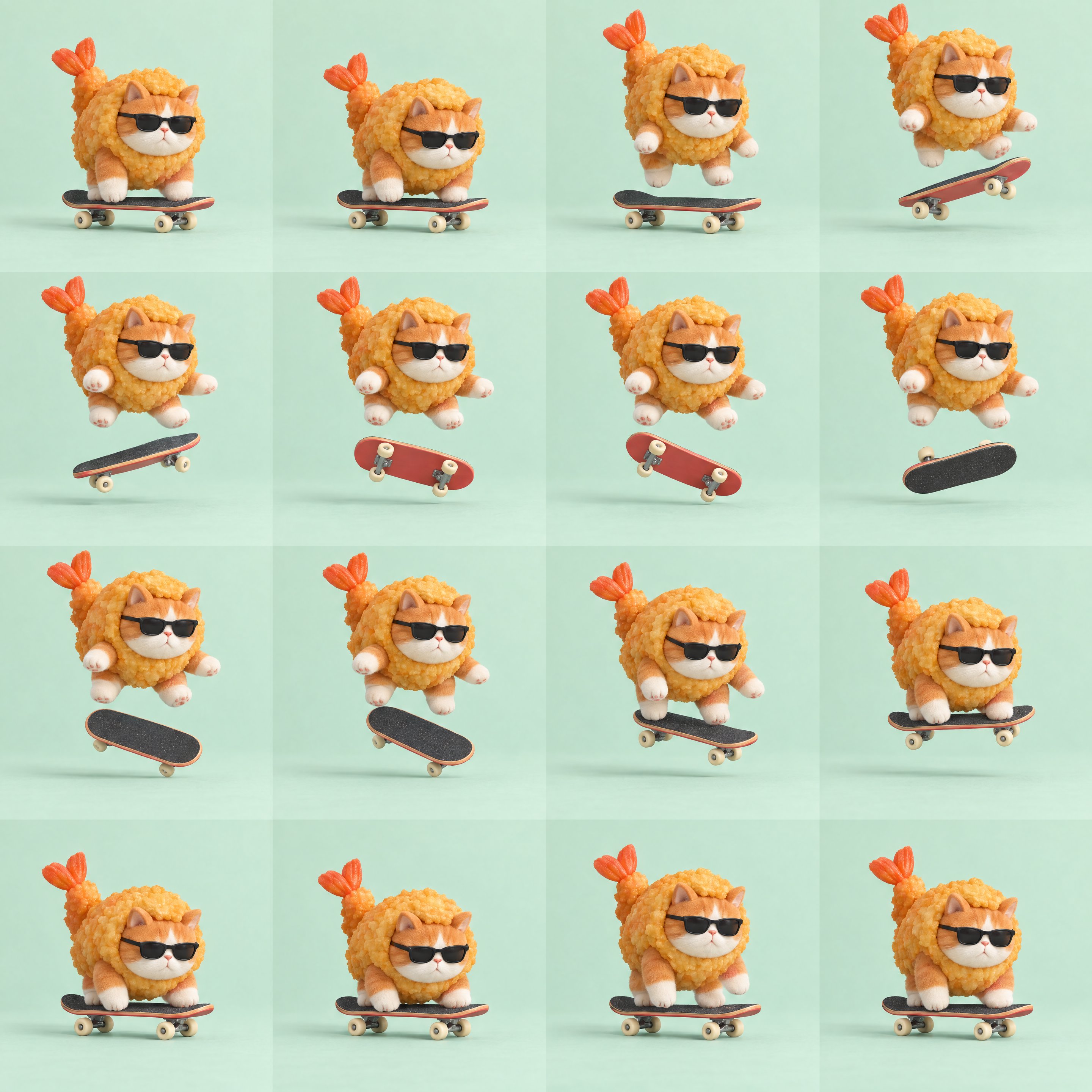
Character: [Appearance, clothing, and material. For example, a chubby orange cat wearing black sunglasses and a fried-shrimp costume.]
Action: [One clear, short action. For example, jump in place, flip the skateboard once, catch it, and land.]
Target image size: [For example, 2880×2880, giving each frame 720×720 pixels.]
If I've supplied a sprite sheet, skip generation and inspect it first. Otherwise, call your image generation tool to create a high-resolution 1:1 sprite sheet: four columns and four rows, with exactly 16 equally sized square frames. No gaps, borders, numbers, or text. Use a size the tool supports, then check the actual pixel dimensions of the output.
Break the action into 16 consecutive frames, with the end connecting naturally back to the beginning. Keep the camera, character proportions, ground level, lighting, and solid-color background fixed. Leave enough room for the full action. Keep the character and all prop parts consistent. Don't automatically recenter or rescale each frame, or add random jitter. Keep the character, props, and shadows entirely within each cell.
Check that there are exactly 16 cells, that they are equally sized, and that nothing extends into neighboring cells. If any of these checks fail, explain the problem and wait for my confirmation. Don't fill in missing cells or force the sheet into an animation.
Split the frames from left to right, top to bottom, preserving their native resolution. Export a looping GIF and an MP4 at 12fps, without frame interpolation or reverse playback. Keep the source image and all 16 individual PNG frames. Verify the actual duration and point out any abrupt motion or problems with the loop transition.
🖼️ 参考图(最多 3 张,选填):